Tides SMS consent
SMS is optional in Tides and remains off until the invited partner explicitly chooses to enable it inside the app.
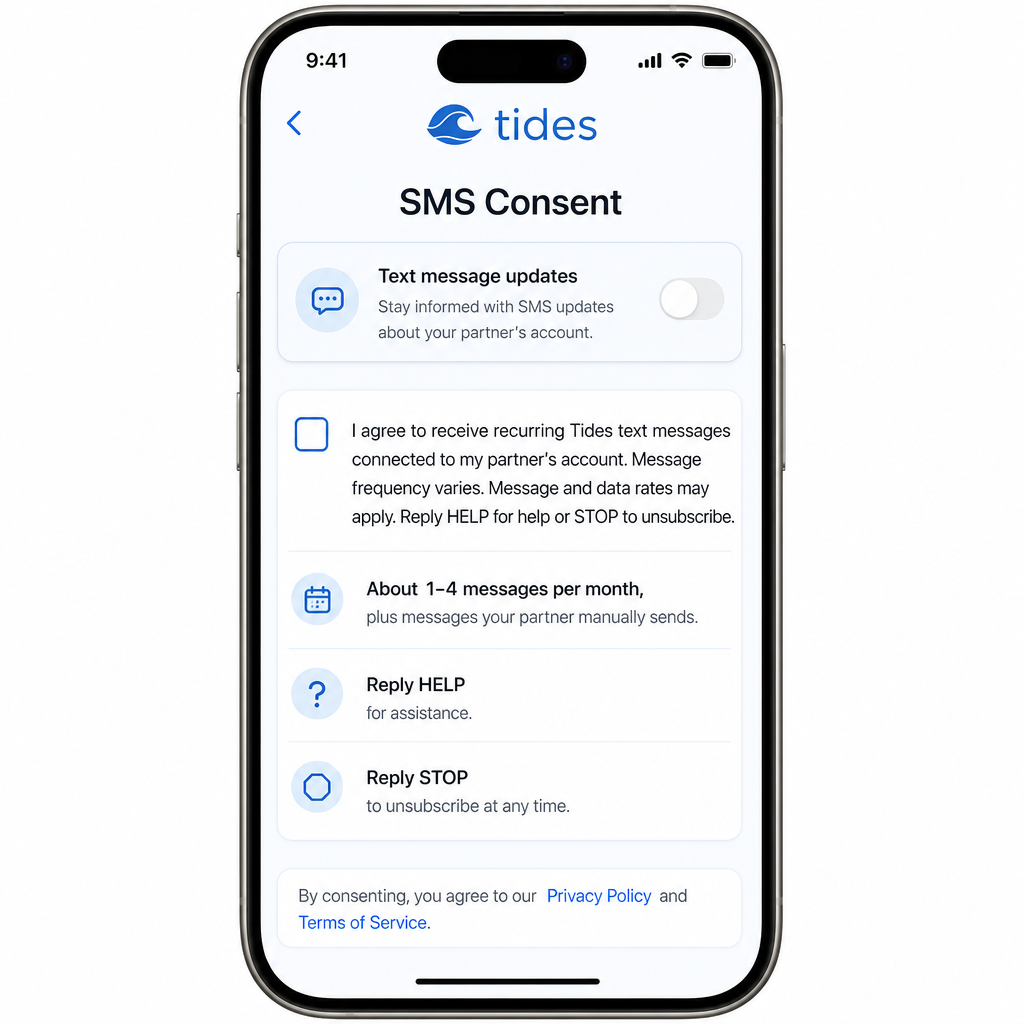
The partner SMS consent screen inside the Tides iOS app.
What the partner agrees to
Consent checkbox text
I agree to receive recurring Tides text messages connected to my partner's account.
Message frequency varies. Message and data rates may apply. Reply HELP for help or STOP to unsubscribe.
See our Privacy Policy and Terms of Service. For help, email admin@tideswithyou.com.
Checkbox shown unchecked by default
This text appears next to an unchecked consent checkbox. The partner must actively select the checkbox before SMS can be enabled. Consent is never pre-selected.
Nine clear steps, all inside the app
- 1A user receives a secure invitation from their partner.
- 2They sign in to the Tides app with Apple or Google.
- 3They accept the partner invitation.
- 4During partner setup, they choose whether to receive Tides text messages.
- 5SMS is disabled by default.
- 6They enter or confirm their own phone number.
- 7They choose the message categories they want.
- 8They actively select the unchecked consent checkbox.
- 9They can disable SMS, change categories, update quiet hours, or reply STOP at any time.
What partners should know
Account connection works even if SMS is declined
Partners can still access their dashboard and shared information without enabling text messages.
Tides does not send marketing or promotional messages
Messages are limited to the relationship and cycle updates the account holder chooses to share.
Consent is not transferred when a phone number changes
Changing a phone number requires fresh consent inside the app.
Reply STOP to unsubscribe
A partner can stop all Tides text messages at any time by replying STOP.
Reply HELP for assistance
Partners can reply HELP to any Tides message for support information.
Privacy statement
No mobile information will be shared with third parties or affiliates for marketing or promotional purposes. Text messaging originator opt-in data and consent will not be shared with any third parties.